The problem
An OBS overlay usually grows like this. Alerts, chat, a donation goal, a key overlay, a now-playing widget: every one of them is a separate Browser Source. Then you get a second scene, and a third, and the same sources are copied into each one with different positions.
- Ten sources in every scene. Moving one widget means opening a dozen scenes and fixing the same thing in each. A new widget has to be added everywhere by hand.
- Widgets reload when the scene changes. A chat, alerts or a goal that restarts on every switch loses its state, and each browser source is one more page that OBS has to keep alive.
- No picture of the whole. Positions live in OBS as numbers on separate sources; to see how a scene looks you have to switch to it.
- Embedding does not always work. Some widget sites refuse to be shown inside another page, and local programs (tosu and the like) do not like requests from a sandbox.
- Nothing is reusable. A small widget that reads the Twitch chat or takes channel point rewards means a separate program, a script and a token to look after.
OverlayComposer was made to remove all of this: one Browser Source in OBS, and everything else is arranged in a visual editor. Each OBS scene gets its own layout, and widgets stay alive while scenes switch.
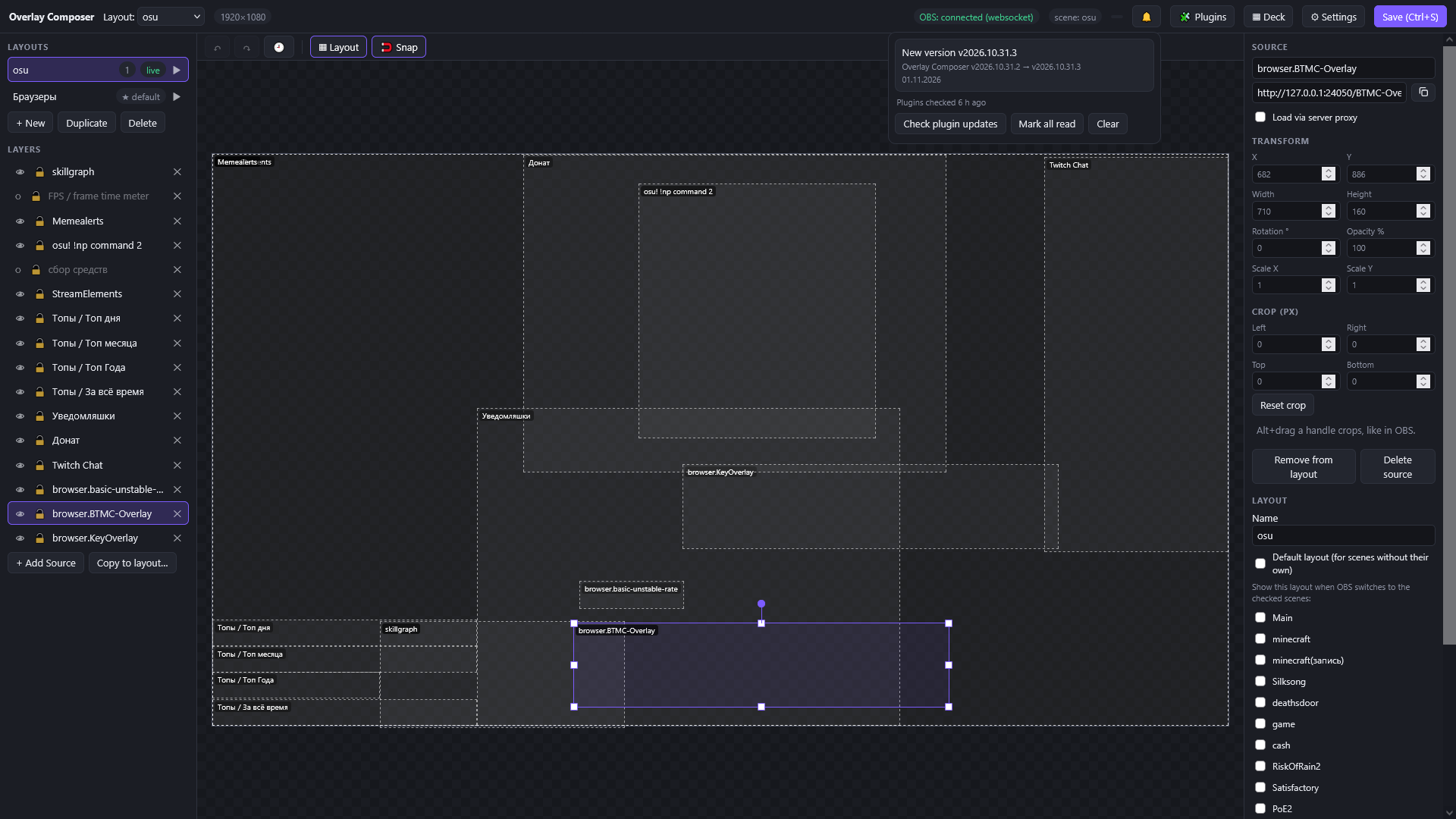 The editor: layouts and layers on the left, the canvas in the middle, properties of the selected layer on the right.
Low barrier to entry: bring your scenes with you
You do not have to rebuild anything. Connect obs-websocket, press Import from OBS, and an existing scene becomes a layout: every Browser Source turns into a layer with the same size, position, rotation and order, groups and nested scenes included. Then replace the dozen sources in OBS with the single /overlay one, and you are done, in minutes rather than an evening.
Twitch is just as easy: press Connect, confirm the code on twitch.tv/activate, and the streamer (or bot) account is connected. No own Twitch application, no Client ID or Secret to copy around.
One source, a layout per scene
Add http://127.0.0.1:8000/overlay to your scenes as a single Browser Source. OverlayComposer watches the active OBS scene and shows the matching layout; a scene without its own layout shows the default one.
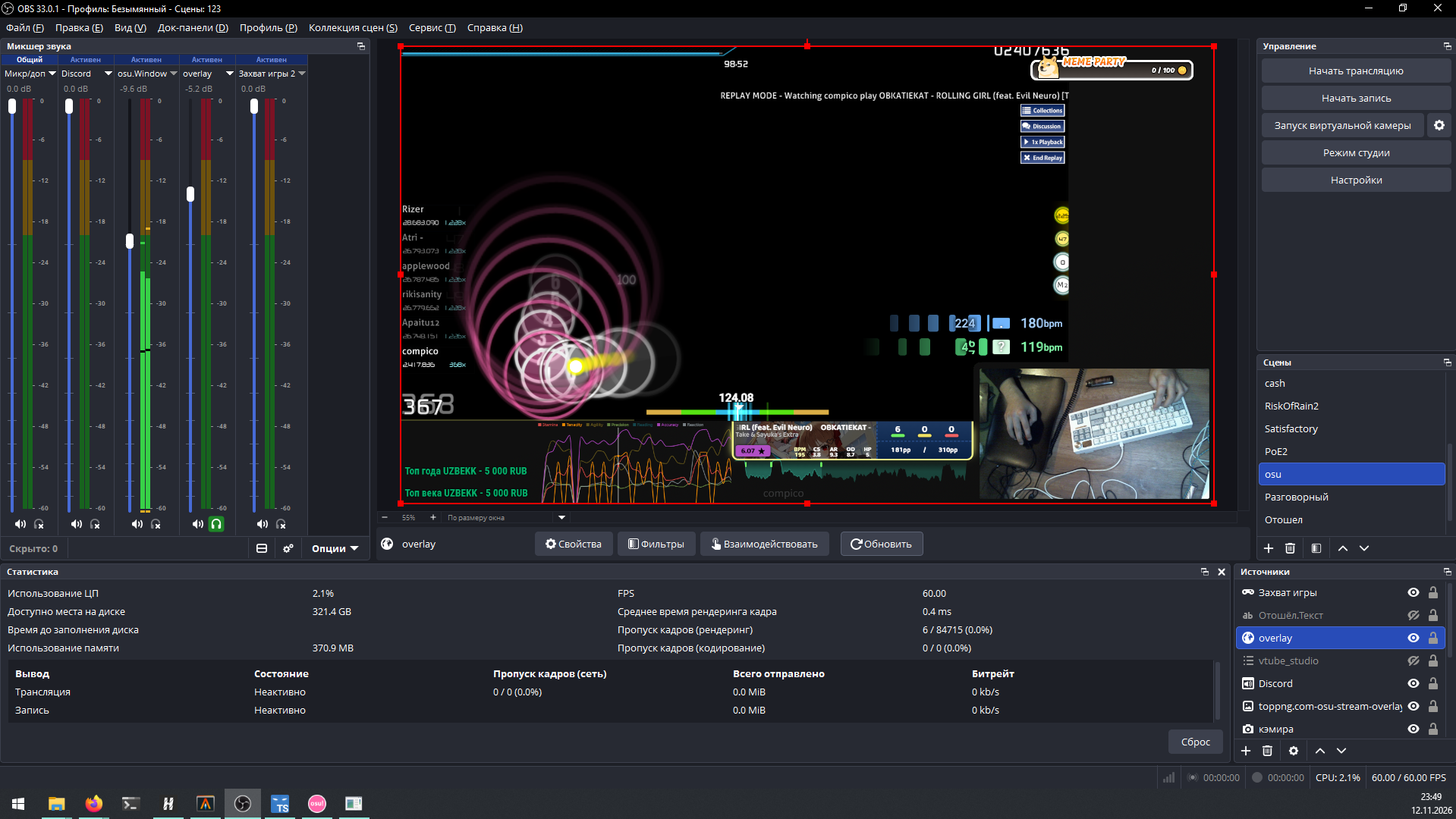
- A layout is a set of layers on a canvas (1920 × 1080 by default). One layout can serve several scenes, and the default layout covers the rest.
- Linked copies: put the same widget into several layouts so that it is moved when the scene changes, not reloaded. Alerts and chat keep their state.
- Connect obs-websocket and the app knows every scene and the current one. Import from OBS turns an existing scene into a layout: each Browser Source becomes a layer with the same size, position, rotation and order, groups and nested scenes included.
An editor that is nice to use
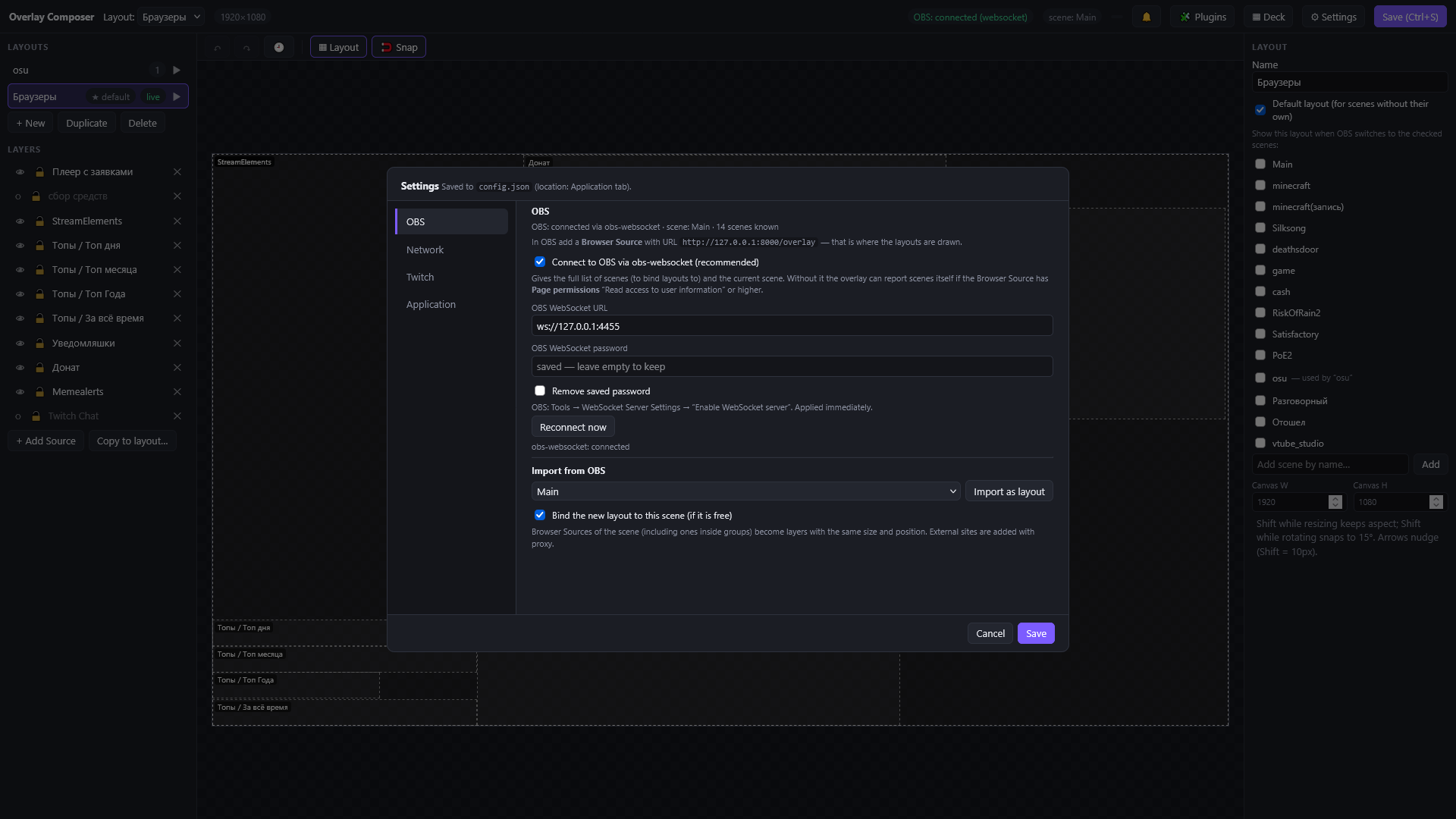
Move, resize, rotate, crop (hold Alt and drag a handle, like in OBS), opacity, scale. Snap aligns edges and centers with pink guides, Layout mode shows dashed outlines around transparent widgets, undo and redo remember your history even after saving, Alt+click picks a layer under another one, and arrow keys nudge. Settings opened in a window with vertical tabs: OBS, Network, Twitch, Application.
Proxy mode for stubborn widgets
Some widget sites forbid being embedded in another page. Tick Load via server proxy for such a source: the app opens the page through itself and removes the headers that forbid it. HTTP, WebSocket and long-poll work through the proxy.
Foreign pages are foreign code, so the proxy runs on a separate port (port + 1). To the browser it is a different origin, and such a page cannot reach the app’s API. If something does not work, Log proxy traffic prints what the proxy sees, with tokens masked.
Widgets
There are three ways to add a widget with + Add Source:
- A web page by URL, the same address you would give to an OBS Browser Source (with the proxy option above).
- A local HTML file or folder: the app wraps it as a plugin without permissions.
- A plugin from the plugin store: compico/oc-plugins by default, any GitHub repository, tags and commits for pinning, private repositories with a token.
Plugins are protected where it matters. A widget lives in a sandboxed iframe with no access to the app. Everything it can do, it can do through permissions that you grant and can revoke (read the chat, write to the chat, storage, requests to local programs). The store shows the version, the permissions and the exact commit before installing, and refuses to install if the files changed after you looked. Plugin updates and migration notes appear in the notification center.
A Twitch chat widget is built in, so you can start with it.
Standalone plugins (WebAssembly)
Some things are not widgets: take a channel point reward, keep a queue, run a timer, make an HTTP request, write to the chat. They need to work whether a page is open or not. For this there are standalone plugins: one .wasm file that runs inside the app, written in Go (Rust and others through the same ABI).
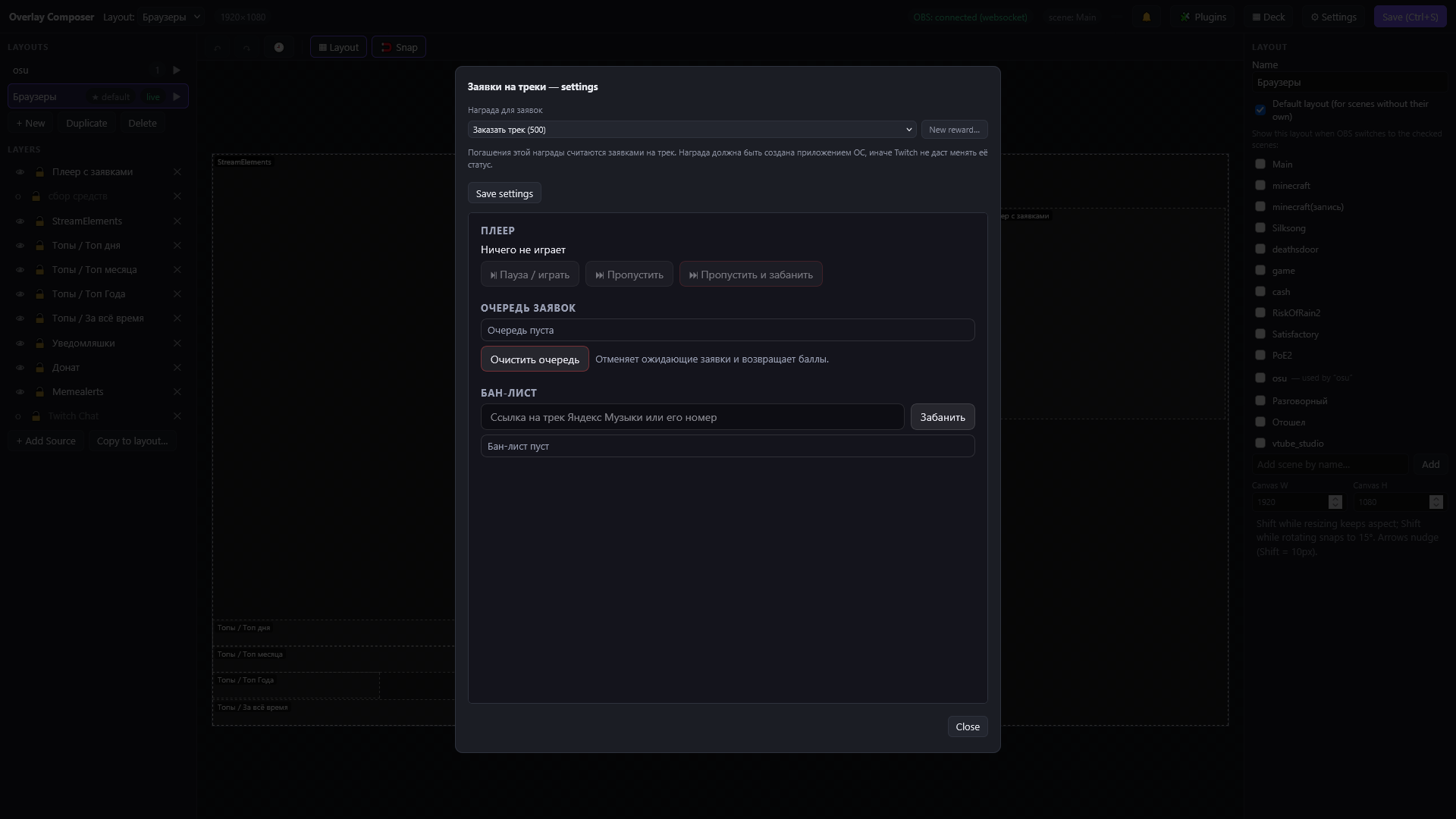
music is a plugin for track requests for channel points: the reward, the player, the request queue and the ban list. It is a single .wasm file with its own widgets and this page.
- Twitch channel point rewards (EventSub is switched on automatically), with fulfil and cancel (points are returned).
- Bot messages in the chat, with limits chosen by the host so a plugin cannot spam.
- Storage, timers, outgoing HTTP requests (never to your local network).
- Events for widgets, add-ons and the Deck, over WebSocket with the last value kept for new subscribers.
- A plugin that crashes is restarted, and five failures in a minute stop it until you restart it yourself.
The guide Writing plugins explains everything with Go examples, and it is also available as raw Markdown that you can hand to an AI agent.
Deck: a control panel for a tablet
An old iPad in the corner of the desk becomes a stream remote. Deck is a page with big Metro-style tiles; a tap switches the OBS scene. It works even in Safari 9.
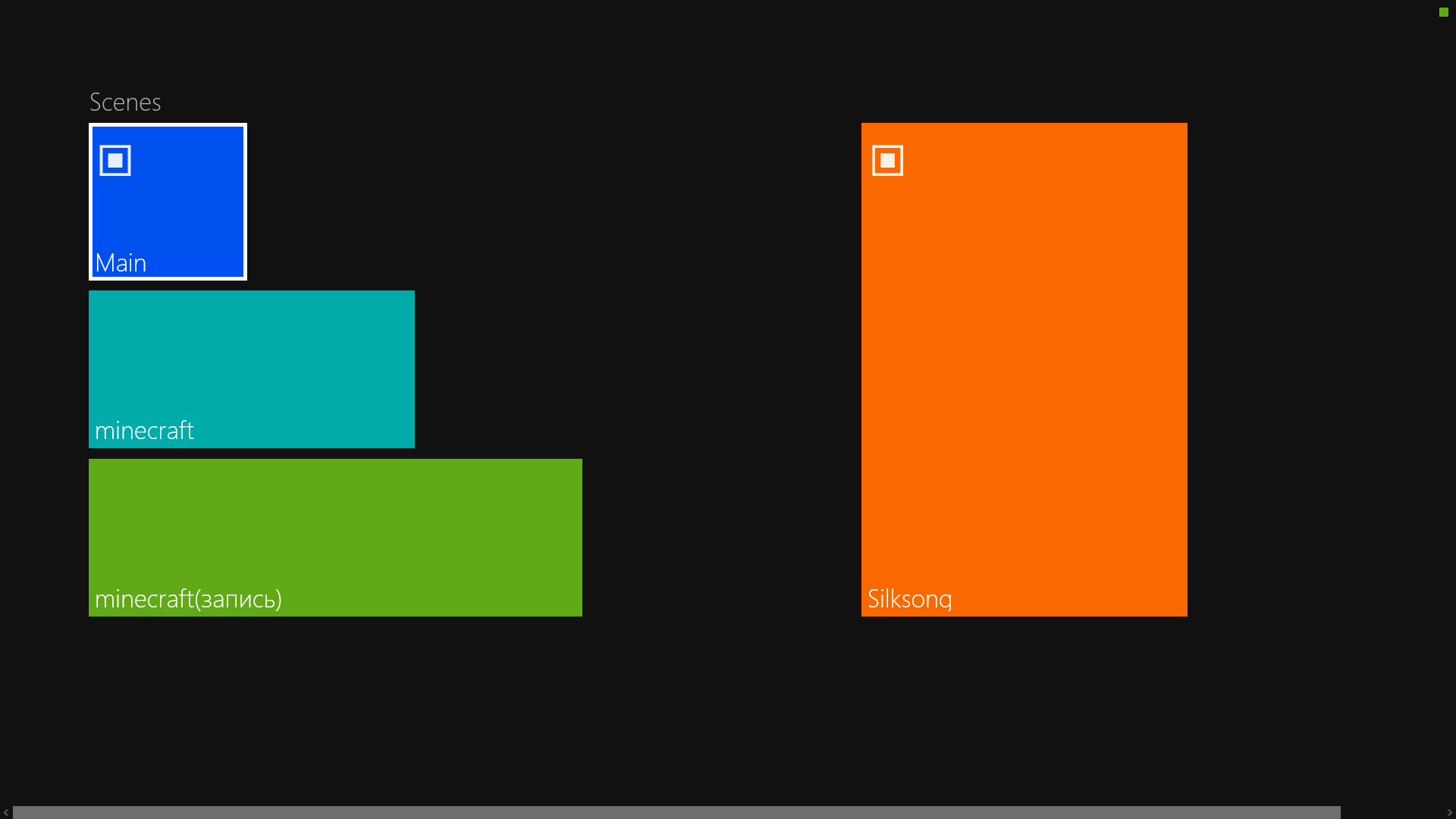
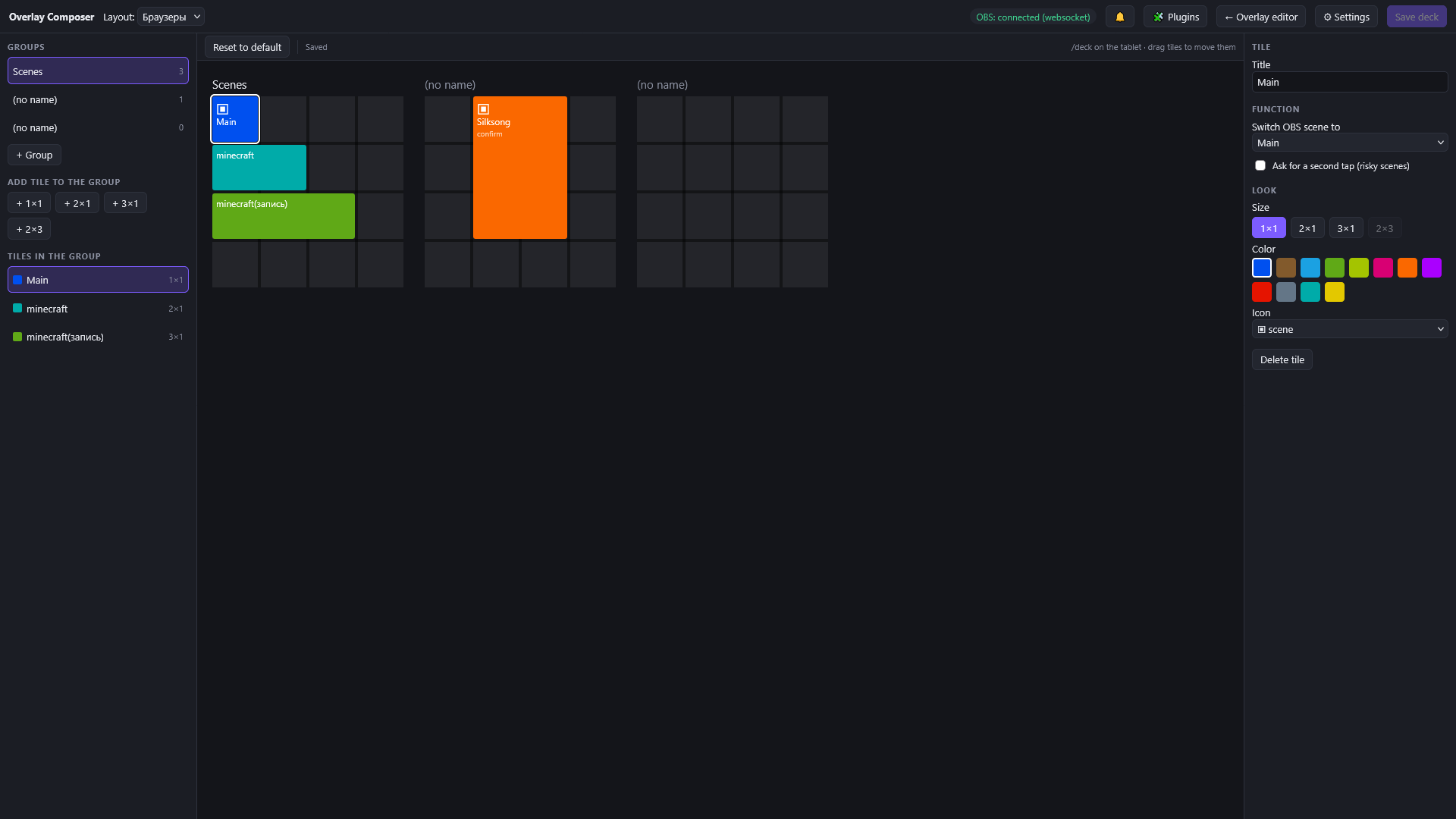
- Square tiles in 4 rows, sizes 1×1, 2×1, 3×1 and 2×3, groups with titles and horizontal scrolling like the Windows 8 start screen. It looks the same in any orientation.
- Risky scenes get Ask for a second tap, so a stray touch cannot cut your stream.
- Security: a tap only carries the tile id, the action comes from the saved layout on the server, and presses are rate limited. A device must be paired first.
The layout is built in the Deck editor: groups and tiles, drag and drop (also between groups), title, scene, colour, icon and size of each tile.
And more
- Other devices: open the editor from a laptop or a tablet; the pairing code is one-time and changes every minute; paired devices can be revoked.
- Twitch accounts: streamer and bot, connected by a code with no own Twitch application; the tokens never leave your computer and are never given to plugins.
- Secrets are encrypted (AES-256-GCM, DPAPI on Windows). Back up
config.jsontogether withsecret.key. - Tray, autostart, portable mode (
--home), Windows and Linux builds, a check for new versions without replacing files on its own, and a notification center. - A debug page
/overlay?debug=1, readable logs and a hint for FPS drops while a game is running (the fps-meter plugin shows the numbers).
What is next
The Deck gets actions from plugins (pause, skip and ban for the music plugin, a now playing tile) and state over WebSocket instead of polling. A Rust SDK for standalone plugins is planned.
Download from GitHub Releases · Documentation · Report a problem